
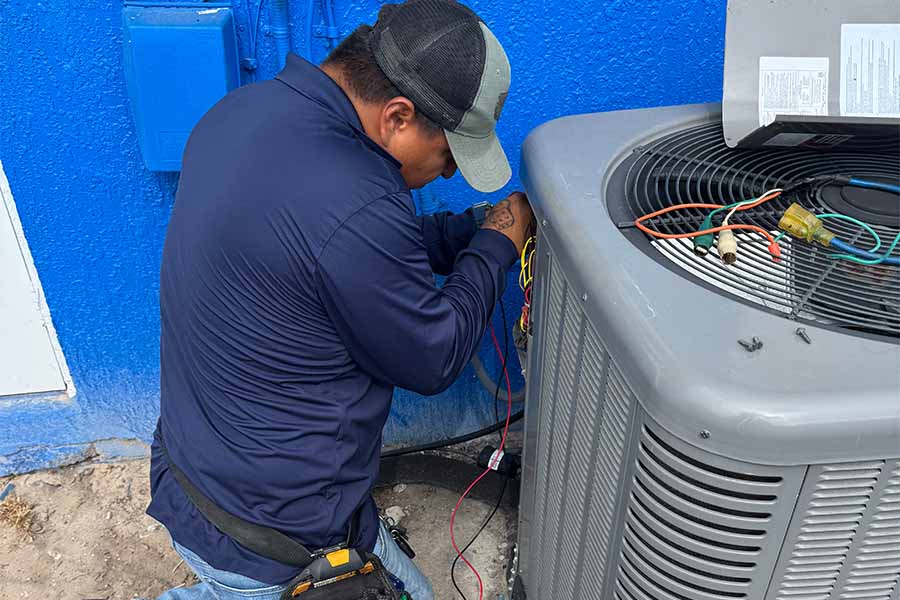
When your AC starts blowing warm air, you can usually narrow the cause down fast if you check the right things in order. You’ll want to confirm the thermostat settings, look for a clogged filter, and see whether the outdoor unit is actually running. Simple airflow problems can mimic bigger failures, and a quick reset can sometimes bring cooling back. But if you notice ice buildup or weak airflow, the next step matters.
3 Fast Checks When AC Blows Warm Air
Before you assume the worst, run through a few quick checks that often explain why your AC is blowing warm air: make sure the outdoor condenser is running and the disconnect hasn’t tripped. If the fan’s off, inspect the breaker, reset it once, and stop if it trips again. Replace a clogged air filter; restricted airflow can make the system feel warm and may trigger safety shutoffs. Look for closed or blocked supply vents and a collapsed return grille filter. Step outside and clear leaves, grass, or lint from the condenser’s fins, keeping at least two feet of clearance. Check for ice on the indoor coil or refrigerant line; if you see frost, shut it off and call a pro.
Thermostat Settings That Stop AC Cooling
Next, check your thermostat, because a few settings can stop cooling fast. Make sure it’s set to “Cool” and the fan is on “Auto,” not “On.” Then confirm the temperature is set low enough and the batteries still have power.
Make Sure Your Thermostat Is Set to “Cool” and “Auto”
Why is your AC running but still pushing warm air? Your thermostat’s mode might be set wrong. If it’s on “Heat” or “Off,” the indoor fan can still circulate air, but it won’t cool it. Switch the system mode to “Cool” so the outdoor unit and compressor engage and remove heat from your home.
Next, set the fan to “Auto,” not “On.” “On” runs the blower nonstop, which can move air between cooling cycles and make rooms feel warmer and more humid. “Auto” only runs the fan when the system is actively cooling, helping you feel colder and keeping comfort steadier. After changing these settings, wait a few minutes and listen for the outdoor unit to start. If it does, you’re back on track.
Check Temperature Settings and Battery Power
Sometimes the fix comes down to two quick thermostat checks: make sure your set temperature sits a few degrees below the current room temperature, and confirm the thermostat has enough battery power to actually call for cooling. If you set the thermostat to 78°F but the room is 76°F, your system won’t run, and the air may feel warm from lingering duct heat or fan-only circulation. Drop the setpoint 3–5 degrees and listen for the indoor unit and outdoor condenser to kick on. Next, check the display: dim screens, blanking, or “low battery” warnings can stop the cooling call even when settings look right. Replace batteries, re-seat the thermostat, and recheck operation. If it still won’t engage, the issue may be wiring or a failed thermostat.
Replace a Clogged Filter (AC Blowing Warm)
If your AC’s blowing warm air, a dirty filter may be choking airflow and causing the evaporator coil to lose its cooling power. You can fix this fast by shutting off the system, pulling the old filter, and checking its size and airflow arrow. Slide in a clean replacement, restore power, and see if the air turns cold again.
How a Dirty Air Filter Restricts Cooling
Even though your thermostat reads cold, a dirty air filter can make your AC blow warm air by choking off the airflow your system needs to cool properly. When air can’t move freely across the evaporator coil, the system can’t absorb enough indoor heat, so the air coming from your vents feels lukewarm. The blower works harder, which reduces efficiency and can trigger overheating protections that shut cooling down early. Restricted airflow also lets the coil get too cold and start icing, further blocking air and cutting heat transfer. You’ll often notice weak vent airflow, longer run times, higher bills, and uneven temperatures. Keeping that filter clean protects the coil, restores airflow, and helps your AC deliver the cold air you expect.
Step-by-Step Guide to Replacing Your AC Filter
A clogged filter is one of the fastest fixes when your AC’s blowing warm air, and you can usually swap it out in minutes. First, turn off your system at the thermostat and breaker to protect the blower. Find the filter slot (return grille, ceiling return, or air handler) and slide the old filter out. Check the size printed on the frame and match it exactly. Choose a MERV rating your system can handle; if you’re unsure, stick with MERV 8–11. Insert the new filter with the airflow arrow pointing toward the blower/ductwork. Close the panel, restore power, and run cooling for 10 minutes. If airflow improves, you’ve likely solved the issue. Replace filters every 1–3 months, sooner with pets or dust.
Check the Breaker and Disconnect Safely
Before you blame the thermostat or refrigerant, take a minute to check whether your AC’s breaker or outdoor disconnect has tripped—loss of power to the condenser often leaves the indoor fan running while the system blows warm air. Head to your electrical panel and find the AC or “condensing unit” breaker. If it’s tripped, flip it fully OFF, then back ON. If it trips again, stop—don’t keep resetting it. Next, locate the outdoor disconnect box near the condenser. Turn it OFF before opening the cover, and keep your hands dry. Remove and reseat the pull-out or switch it back ON firmly. Close everything securely, then restore power. If you see scorching, melted plastic, or buzzing, call a pro.
Is the Outdoor Unit Running and Spinning?
Next, step outside and look at the condenser: do you hear it running, and is the top fan spinning steadily? If it’s silent, your outdoor unit may not be getting power, even if the indoor blower works. Confirm the service disconnect is fully seated and the breaker you checked stays on. If the breaker trips again, stop and call a pro.
If you hear humming but the fan won’t spin, shut the system off at the thermostat and disconnect to avoid overheating the compressor. A failed capacitor, stuck fan motor, or damaged contactor can cause this. If the fan starts only after you nudge it, don’t keep running it—schedule service.
Clean a Dirty Outdoor Condenser for Better Cooling
If your outdoor condenser’s coil is packed with dust, grass clippings, or cottonwood fluff, it can’t dump heat efficiently, so your AC struggles and may blow warm air inside. Start by shutting off power at the disconnect and breaker. Clear leaves and debris from around the unit, giving it at least two feet of breathing room. Remove the top grille carefully, then use a soft brush or vacuum to loosen buildup on the fins. Rinse from the inside out with a gentle garden hose stream; avoid pressure washers that bend fins. If fins are flattened, straighten them with a fin comb. Let everything dry, restore power, and run cooling. You should feel colder air and steadier operation. If not, call a tech.
Open Vents and Fix Common Airflow Blocks
If your AC is blowing warm air, check your supply vents first—closed vents restrict airflow and can make the system work harder while cooling less. Make sure furniture, rugs, and curtains aren’t covering registers, and clear any dust buildup around the grilles. When air can move freely, you’ll often feel cooler air faster and reduce strain on your unit.
How Closed Vents Affect AC Performance
Although it seems harmless to shut a few vents in unused rooms, closed supply or return vents can disrupt your AC’s airflow and make it blow warmer air. When you restrict air movement, static pressure rises, the blower works harder, and less cool air reaches your living spaces. Your evaporator coil can also get too cold and start icing, which further chokes airflow and reduces cooling.
Start by opening every supply vent fully and making sure return grilles stay open. If some rooms get too cold, don’t close vents; adjust your thermostat schedule, use a damper if your ducts have one, or partially close one vent at a time and recheck airflow. You’ll keep the system balanced and avoid warm-air surprises.
Removing Furniture and Dust That Block Airflow
Two quick fixes often restore cold air fast: clear the vents and clear the air path. Walk room to room and make sure every supply register and return grille stays fully open and unobstructed. Pull sofas, beds, rugs, and curtains back so air can circulate freely; even a few inches helps. Don’t forget floor registers hidden under furniture or pet beds.
Next, knock down dust that chokes airflow. Vacuum vent covers, then remove them and clean the boot and nearby duct edge. Replace clogged filters, and wipe the return grille so it can “breathe.” If you’ve got closed interior doors, crack them to reduce pressure imbalance. After you clear blocks, run the AC for 15 minutes and check for colder, stronger airflow.
Thaw a Frozen Evaporator Coil (Step-by-Step)
One frozen evaporator coil can turn your AC into a warm-air fan, so thawing it safely is your first move before you chase bigger issues. First, switch your thermostat to OFF to stop cooling. Next, turn the fan setting to ON to push room air across the coil and speed melting. If your system has an indoor breaker switch, leave power on for the fan only; don’t force the compressor to run. Put towels under the air handler and clear the condensate drain opening so meltwater can exit. Don’t chip ice with tools or use a heat gun; you can puncture fins or wiring. Wait until all ice is gone, replace the filter, then restart cooling and monitor airflow for 30 minutes.
Is Your AC Low on Refrigerant?
After you’ve thawed the evaporator coil and confirmed airflow is back, warm air can still point to a refrigerant problem. Refrigerant doesn’t “run out”; if it’s low, there’s usually a leak that reduces cooling capacity and makes the system blow lukewarm air.
Check for clues you can safely spot. Compare supply air at a vent to room air: if it’s only slightly cooler after 10–15 minutes of steady run time, charge may be low. Look at the larger insulated refrigerant line near the outdoor unit; it should feel cool and “sweaty,” not warm or bone-dry. Bubbling or hissing around connections can also signal a leak. Don’t add refrigerant blindly—you’ll mask the issue and risk damage.
Warm AC Air: When to Call an HVAC Pro
Sometimes warm air isn’t a DIY fix—it’s your cue to call an HVAC pro, especially if you’ve restored airflow but the system still won’t cool, you hear hissing or buzzing, or you spot ice, leaks, or burning smells. Refrigerant issues, electrical failures, and compressor problems need gauges, meters, and recovery equipment—guessing can damage the system or create safety hazards. Call if your breaker trips repeatedly, your outdoor unit won’t run, or the thermostat shows errors you can’t clear. Schedule service fast when ice keeps returning after you’ve replaced the filter, cleaned the drain, and let the coil thaw. You should also call if warm air comes with water pooling, weak airflow despite a clean filter, or sudden spikes in humidity indoors.
Conclusion
When your AC starts blowing warm air, you can usually narrow it down fast. Double-check the thermostat mode and temperature, swap a dirty filter, and make sure the breaker and outdoor unit are actually running. Open vents and clear airflow blocks, then look for ice that signals a frozen coil. If it keeps happening, you might be dealing with low refrigerant or a failing component. That’s when you should call an HVAC pro.